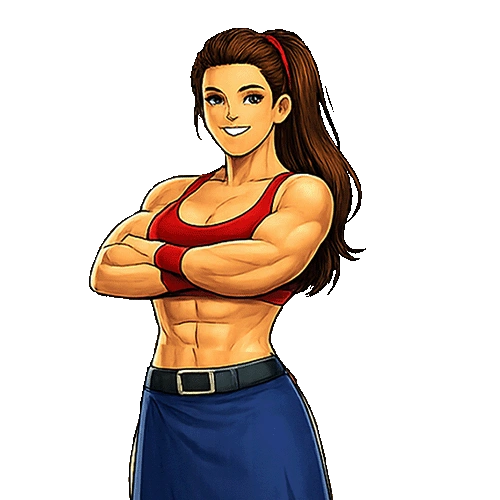
Learning cutting image by chunks using Fix Alena
Image cutting by chunks is one of the most useful techniques in mobile game development and interactive applications.
In many games, developers divide images into multiple pieces instead of loading one large texture.
This helps improve animation control, collision handling, optimization, and visual interaction.
In Fix Alena, chunk based image cutting can be used to create smooth cloth slicing effects, damage systems, puzzle mechanics, and interactive animations.
Instead of treating an image as a single object, the image becomes multiple small sections that can move independently.
This tutorial explains how to build a complete chunk cutting system using Dart.
You will learn how images are divided, how chunks are stored, how rendering works, and how to animate separated pieces after a cut happens.
Everything here is written for beginners and intermediate developers who want to understand real game development workflows.
Understanding chunk based image systems
A chunk is a smaller part of a bigger image.
Instead of drawing one entire texture, the game draws multiple smaller sections.
Each section has its own position, width, height, and movement behavior.
This system is popular because it gives developers more control.
You can move one chunk while keeping others still.
You can hide pieces, rotate them, animate them, or apply physics independently.
In Fix Alena style gameplay, chunk cutting helps create believable cutting mechanics.
When the player taps at the correct moment, the game can separate the image into pieces and animate them naturally.
Creating the chunk model
The first step is creating a data model for every chunk.
Each chunk needs information about its position and size.
class ImageChunk {
  double x;
  double y;

  double width;
  double height;

  double velocityX;
  double velocityY;

  bool visible;

  ImageChunk({
    required this.x,
    required this.y,
    required this.width,
    required this.height,
    this.velocityX = 0,
    this.velocityY = 0,
    this.visible = true,
  });
}
This class stores everything needed for one image piece.
The chunk position controls where it appears on screen.
Width and height control the size of the piece.
Velocity values are useful when chunks start flying after a cut animation.
Loading the original image
Before dividing the image into chunks, the game needs to load the texture into memory.
This is usually done during the loading screen or initialization stage.
import 'dart:ui' as ui;

ui.Image? sourceImage;

Future<void> loadImage() async {
  final data = await rootBundle.load(
    'assets/alena.png',
  );

  final bytes = data.buffer.asUint8List();

  final codec = await ui.instantiateImageCodec(
    bytes,
  );

  final frame = await codec.getNextFrame();

  sourceImage = frame.image;
}
The source image becomes the base texture used by every chunk.
Each chunk will later render a specific area from this image.
Dividing the image into chunks
Now the game needs to split the image into smaller sections.
A grid system works best for this.
For example, if the image width is 400 and height is 400, the game can divide it into 8 rows and 8 columns.
That creates 64 chunks.
List<ImageChunk> chunks = [];

void generateChunks() {
  const int rows = 8;
  const int columns = 8;

  const double imageWidth = 400;
  const double imageHeight = 400;

  final double chunkWidth =
      imageWidth / columns;

  final double chunkHeight =
      imageHeight / rows;

  for (int row = 0; row < rows; row++) {
    for (int column = 0;
        column < columns;
        column++) {

      chunks.add(
        ImageChunk(
          x: column * chunkWidth,
          y: row * chunkHeight,
          width: chunkWidth,
          height: chunkHeight,
        ),
      );
    }
  }
}
Every loop creates a new image chunk.
Each chunk represents one section of the original texture.
Rendering chunks on screen
After generating chunks, the next step is rendering them.
Each chunk draws only a specific part of the original image.
void drawChunk(
  Canvas canvas,
  Paint paint,
  ImageChunk chunk,
) {
  if (!chunk.visible) {
    return;
  }

  final sourceRect = Rect.fromLTWH(
    chunk.x,
    chunk.y,
    chunk.width,
    chunk.height,
  );

  final destinationRect = Rect.fromLTWH(
    chunk.x,
    chunk.y,
    chunk.width,
    chunk.height,
  );

  canvas.drawImageRect(
    sourceImage!,
    sourceRect,
    destinationRect,
    paint,
  );
}
The source rectangle selects the area from the original texture.
The destination rectangle decides where it appears on screen.
This technique is extremely efficient because one image can generate many visual pieces.
Creating the cutting system
The cutting system determines which chunks should separate after the player taps.
A horizontal cut is one of the easiest approaches for beginners.
The game checks the cut position and decides which chunks belong above or below the line.
void cutImage(double cutY) {
  for (final chunk in chunks) {

    final centerY =
        chunk.y + (chunk.height / 2);

    if (centerY > cutY) {

      chunk.velocityY = 8;

    } else {

      chunk.velocityY = -8;
    }
  }
}
Chunks below the cut move downward.
Chunks above the cut move upward.
This creates a believable separation effect.
Animating chunk movement
Animation updates happen every frame.
Velocity values move the chunks continuously.
void updateChunks() {
  for (final chunk in chunks) {

    chunk.x += chunk.velocityX;

    chunk.y += chunk.velocityY;

    chunk.velocityY += 0.3;
  }
}
The extra velocity increase acts like gravity.
This makes chunks fall naturally instead of floating.
Adding rotation effects
Rotation makes chunk movement look more dynamic.
Without rotation, pieces may appear too stiff.
class ImageChunk {

  double x;
  double y;

  double width;
  double height;

  double velocityX;
  double velocityY;

  double rotation;
  double rotationSpeed;

  bool visible;

  ImageChunk({
    required this.x,
    required this.y,
    required this.width,
    required this.height,
    this.velocityX = 0,
    this.velocityY = 0,
    this.rotation = 0,
    this.rotationSpeed = 0,
    this.visible = true,
  });
}
During updates, the rotation value increases.
void updateChunks() {
  for (final chunk in chunks) {

    chunk.x += chunk.velocityX;

    chunk.y += chunk.velocityY;

    chunk.rotation +=
        chunk.rotationSpeed;

    chunk.velocityY += 0.25;
  }
}
Rotating chunks makes the slicing effect feel more satisfying.
Optimizing performance
Chunk systems can become expensive if too many pieces exist at the same time.
Performance optimization is important for mobile games.
Smaller chunk counts improve frame rate.
Developers should avoid creating hundreds of unnecessary pieces.
Visibility culling is another useful technique.
Invisible chunks should not render.
void removeHiddenChunks() {

  chunks.removeWhere(
    (chunk) => chunk.y > 2000,
  );
}
This removes chunks that move far outside the screen.
It helps reduce memory usage and rendering cost.
Using chunk systems for gameplay
Chunk based image cutting is not limited to visual effects.
It can also affect gameplay mechanics.
Developers can create destructible environments, puzzle systems, damage reactions, or interactive cloth simulations.
In arcade games, chunk separation adds feedback that makes actions feel impactful.
In Fix Alena inspired systems, timing based cutting becomes more exciting because players see immediate visual results after every tap.
Improving visual quality
Good visual polish separates basic games from professional looking experiences.
Developers should focus on smooth animation, proper spacing, and believable motion.
Particle effects can improve chunk cutting systems.
Small particles near the cut line make the action feel stronger.
Motion blur and scaling animations can also make chunk movement feel more energetic.
Creating dynamic chunk sizes
Not every chunk needs the same size.
Dynamic chunk generation creates more natural looking results.
import 'dart:math';

final random = Random();

double randomSize() {
  return 20 + random.nextInt(40);
}
Different chunk sizes make destruction look less artificial.
Randomization is a powerful technique in visual game design.
Handling user interaction
User input triggers the cutting logic.
Most games use touch or mouse events.
void onTap(double positionY) {

  cutImage(positionY);
}
The tap position becomes the cut position.
This creates direct interaction between the player and the chunk system.
Why chunk systems are important in game development
Many developers start with simple sprite rendering but later discover the importance of modular image systems.
Chunk rendering gives flexibility that static textures cannot provide.
Modern games use chunk systems for destruction, slicing, transitions, environmental interaction, and visual storytelling.
Learning this system improves both technical understanding and creative design ability.
The more you practice chunk manipulation, the easier advanced effects become.
Eventually, developers can create realistic destruction systems, procedural slicing, and dynamic animations entirely through Dart logic.
Final thoughts
Learning image cutting by chunks is an important step for every game developer interested in interactive visual systems.
It teaches rendering logic, animation control, optimization, and gameplay interaction all at the same time.
Fix Alena style mechanics are perfect for understanding these concepts because they rely heavily on timing, visual feedback, and smooth animation.
By splitting textures into smaller sections, developers gain much more creative freedom compared to static image rendering.
Continue experimenting with chunk sizes, gravity, rotation, and movement styles.
Every adjustment changes how the game feels.
Small improvements in animation and timing can completely transform the player experience.
Once you master chunk systems, you can apply the same ideas to many other projects including puzzle games, action games, slicing games, platformers, and advanced interactive simulations.
The knowledge gained from this system becomes useful across almost every area of game development.