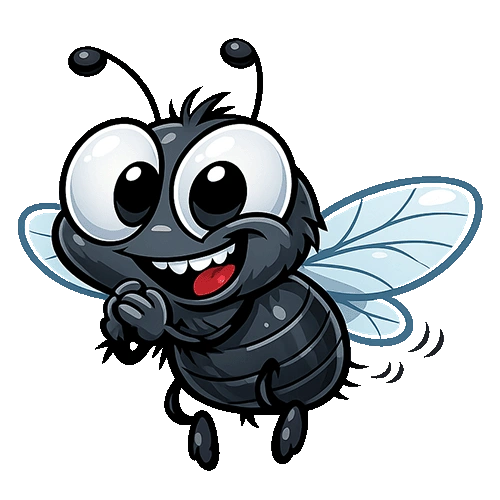
Learning triggering sound effects using Flybeater
Sound effects are one of the most important parts of a game. Even a very simple game can feel exciting when the sound matches the player action perfectly. In Flybeater the moment the player hits the fly should feel satisfying. Without sound the hit feels empty and weak. With a proper sound effect the player feels instant feedback and the game becomes more enjoyable.
Triggering sound effects means playing audio exactly when something happens in the game. In Flybeater we want to play a hit sound when the player taps the fly. We may also want to play another sound when the player misses or loses the game. These small details make a huge difference in player experience.
Many beginner developers make mistakes while working with audio. Some sounds play late. Some sounds overlap badly. Some sounds never stop. Learning audio properly from the beginning helps you build games that feel professional and smooth.
In this tutorial you will learn how to use sound effects inside a Flutter Flame game. You will understand how to load sounds, trigger them at the correct moment, avoid common mistakes, and improve overall game feel. We will use Flybeater as the example because it is a perfect reaction game for learning instant sound feedback.
Why sound effects are important in reaction games
Reaction games depend on fast player actions. The player taps quickly and expects instant feedback. Visual feedback alone is not enough because the brain reacts faster when both sound and animation happen together.
Imagine hitting the fly and hearing a sharp smack sound at the exact same moment. The player immediately feels successful. That tiny sound gives confirmation that the action worked correctly.
Good sound effects also create tension. While waiting for the fly to appear the game feels quiet. Suddenly the hit sound breaks the silence. This creates excitement and keeps the player focused.
Many famous mobile games use this trick. Simple sounds repeated correctly can become memorable. Players may even recognize your game only from its sound.
Understanding audio in Flame Engine
Flame provides audio support using Flame Audio. This makes it easier to load and play sound files inside Flutter games.
Before triggering sounds you first need to add the Flame audio package. This package helps manage short sound effects and longer background music.
Open your pubspec file and add the Flame audio dependency.
dependencies:
  flutter:
    sdk: flutter

  flame: ^1.18.0
  flame_audio: ^2.10.0
After adding the package run flutter pub get in your terminal. This downloads the required files for audio support.
Creating the audio folder
Your sound files should stay organized. Create an assets folder if you do not already have one. Inside it create another folder called audio.
Your project structure may look like this.
assets
 └── audio
      ├── hit.wav
      ├── miss.wav
      └── gameover.wav
Using wav files is a good choice for short effects because they play quickly and clearly.
Next register these assets inside the pubspec file.
flutter:

  assets:
    - assets/audio/
This tells Flutter to include the audio files inside the final game build.
Importing Flame audio
Now open your game file and import Flame audio.
import 'package:flame_audio/flame_audio.dart';
This single import gives access to audio playback methods.
Playing your first sound effect
The easiest way to play a sound is using FlameAudio.play.
Example
FlameAudio.play('hit.wav');
This instantly plays the hit sound from the assets audio folder.
The filename should exactly match your real file name including uppercase and lowercase letters.
Triggering sound when the fly is hit
In Flybeater the most important sound is the hit sound. This sound should only play when the player successfully taps the fly.
Imagine your tap detection code looks like this.
void hitFly() {
  score++;

  FlameAudio.play('hit.wav');

  remove(fly);
}
The sound is triggered immediately after the score increases. This creates instant feedback for the player.
Notice how simple the code is. The most important thing is placing the sound in the correct location inside the logic.
Adding a miss sound
Sound effects are not only for success moments. Failure sounds are also important. A miss sound tells the player they reacted incorrectly.
Example
void missTap() {
  FlameAudio.play('miss.wav');

  gameOver();
}
This sound should feel different from the hit sound. Usually miss sounds are softer or lower in tone.
Using different sounds helps the player instantly understand what happened without reading any text.
Adding game over sound effects
A game over moment feels stronger with sound. Even a tiny effect makes the loss feel more dramatic.
void gameOver() {
  FlameAudio.play('gameover.wav');

  paused = true;
}
Now every failure gives clear audio feedback to the player.
Preloading sounds for better performance
Beginners often play sounds directly without loading them first. This can cause lag during the first playback. The player may notice a delay.
A better solution is preloading sounds when the game starts.
@override
Future<void> onLoad() async {
  await FlameAudio.audioCache.loadAll([
    'hit.wav',
    'miss.wav',
    'gameover.wav',
  ]);
}
This loads the sounds into memory before gameplay starts. Now sounds play instantly during the game.
Making the hit feel stronger
Audio works best when combined with animation. In Flybeater the fly may shrink, rotate, or disappear while the hit sound plays.
Combining sound with movement makes the action feel real.
void hitFly() {
  score++;

  FlameAudio.play('hit.wav');

  fly.scale = Vector2.all(0);

  remove(fly);
}
Even tiny visual changes improve the effect greatly.
Using random pitch for variety
Repeating the exact same sound many times can become boring. Some games slightly change sound pitch every time to create variation.
Flame audio supports this.
FlameAudio.play(
  'hit.wav',
  volume: 1.0,
);
While Flame itself keeps audio simple you can later use advanced packages for pitch shifting and filters if your game becomes larger.
Keeping sounds short
Reaction games need instant feedback. Long sounds feel slow and messy. Your hit sound should usually stay under one second.
Short sounds also reduce memory usage and help mobile performance.
Many successful mobile games use extremely short audio clips because they feel more responsive.
Choosing good sound files
A good sound effect should match the action. In Flybeater a strong slap or smack sound works well because the player is hitting a fly.
Avoid very loud or painful sounds because players may use headphones. Clean audio is more important than aggressive audio.
You can create your own sounds using free editing software or download royalty free effects from safe audio libraries.
Managing sound volume
Not every sound should have the same volume. Hit sounds may stay strong while miss sounds stay softer.
FlameAudio.play(
  'miss.wav',
  volume: 0.5,
);
Balancing volume creates a more comfortable experience.
Avoiding overlapping sounds
If sounds trigger too quickly they may overlap badly. This often happens when players spam taps.
You can avoid this by limiting when sounds are allowed to play.
bool canPlaySound = true;

void playHitSound() {
  if (!canPlaySound) {
    return;
  }

  canPlaySound = false;

  FlameAudio.play('hit.wav');

  Future.delayed(
    const Duration(milliseconds: 200),
    () {
      canPlaySound = true;
    },
  );
}
This small delay prevents audio chaos during rapid taps.
Creating better player satisfaction
Sound effects are psychological. Players enjoy games more when feedback feels instant and satisfying.
In Flybeater the hit sound becomes part of the reward system. The player starts chasing that satisfying sound again and again.
This is one reason why arcade games feel addictive. Strong feedback keeps the brain engaged.
Testing sounds on real devices
Always test your sounds on actual phones. Some sounds that feel good on a laptop may sound weak on mobile speakers.
Cheap phones may also handle bass differently. Testing helps you adjust volume and clarity correctly.
Common beginner mistakes
One common mistake is triggering sounds before checking game conditions. This may play hit sounds even after game over.
Another mistake is loading sounds repeatedly during gameplay instead of preloading them once.
Some developers also use huge audio files for tiny effects. This wastes memory and slows loading speed.
Keeping your sound system simple is usually the best choice for arcade games like Flybeater.
Complete simple Flybeater sound example
Here is a beginner friendly example combining everything together.
import 'package:flame/game.dart';
import 'package:flame/events.dart';
import 'package:flame_audio/flame_audio.dart';
import 'package:flutter/material.dart';

class FlybeaterGame extends FlameGame with TapDetector {

  bool flyVisible = false;

  @override
  Future<void> onLoad() async {
    await FlameAudio.audioCache.loadAll([
      'hit.wav',
      'miss.wav',
      'gameover.wav',
    ]);
  }

  void spawnFly() {
    flyVisible = true;
  }

  @override
  void onTap() {

    if (flyVisible) {

      FlameAudio.play('hit.wav');

      flyVisible = false;

    } else {

      FlameAudio.play('miss.wav');

      FlameAudio.play('gameover.wav');

      pauseEngine();
    }
  }
}

void main() {
  runApp(
    GameWidget(
      game: FlybeaterGame(),
    ),
  );
}
This small example already creates a much more satisfying game experience because every action has audio feedback.
How professional games use audio feedback
Professional games spend huge amounts of time polishing sound. Even menu buttons usually have tiny click sounds.
In action games every movement may have its own effect. Footsteps, attacks, pickups, rewards, warnings, and damage all use sound to guide the player.
Flybeater may look simple but the same audio principles used here are also used in bigger games.
Final thoughts
Learning sound effects is one of the best ways to improve your game feel quickly. Players may forgive simple graphics but weak feedback makes games feel unfinished.
In Flybeater sound effects transform a basic tapping mechanic into something satisfying and exciting. A single hit sound can make the player smile when timed perfectly.
As you continue building games you will understand that game development is not only about logic and graphics. Audio creates emotion, tension, reward, and excitement.
Start simple. Learn when to trigger sounds correctly. Focus on timing and clarity. Slowly your games will start feeling alive.